
Start at BNM’s official eCCRIS portal. Register if needed, activate an authenticator app, sign in and request your own report. Then download the PDF for your review.
You may know your salary very well, but can you name every financing commitment attached to it?
When a good income still leaves you short, I believe the starting point is a clearer picture. Your CCRIS report is one useful piece of that picture. Keep your income, living expenses and other commitments alongside it, so you can see the pressure on your month.
Before you begin
Online registration is available to Malaysian individuals with MyKad and internet banking. Your own CCRIS report is free. New online registrations involve a refundable RM1 verification payment; BNM says it is refunded within two working days. See the official eligibility and fee FAQ.
Have these ready
- Your MyKad and access to your own internet banking.
- Your mobile phone and contact details for registration.
- Google Authenticator or Microsoft Authenticator installed on your phone.
- A private place to save the downloaded report.
BNM made multi-factor authentication (MFA) mandatory from 27 June 2025. Install an authenticator before starting registration. Existing users also need MFA. Your User ID is the identifier you chose when setting up the account; it may differ from your IC number. Check the current portal announcement.
1. Register if you are a new user
Already have an account? Go to Step 3. For a new account, follow BNM’s current registration guide:
- Open eccris.bnm.gov.my and choose Register Now.
- Read the identity-verification notice and continue. Complete the registration form, check the details and accept the applicable terms.
- Select your payment bank and complete the verification payment.
- After payment succeeds, create your User ID and password, then complete the security settings.
This replaces the old guide’s form-download and document-submission route for eligible online registrations.
2. Activate your authenticator
When prompted, choose Activate MFA. In your authenticator, add an account and scan the QR displayed by eCCRIS. Enter the app’s six-digit code into eCCRIS and verify it to complete setup. This is the authenticator code, rather than an SMS code. Follow the live screen if its wording changes.
The visual above is a simple process guide, not a screenshot of the portal. Use the official registration guide for the current screens.
3. Sign in and request your report
Enter your User ID. Confirm your security image and phrase, enter your password, then verify with the six-digit code from your authenticator.
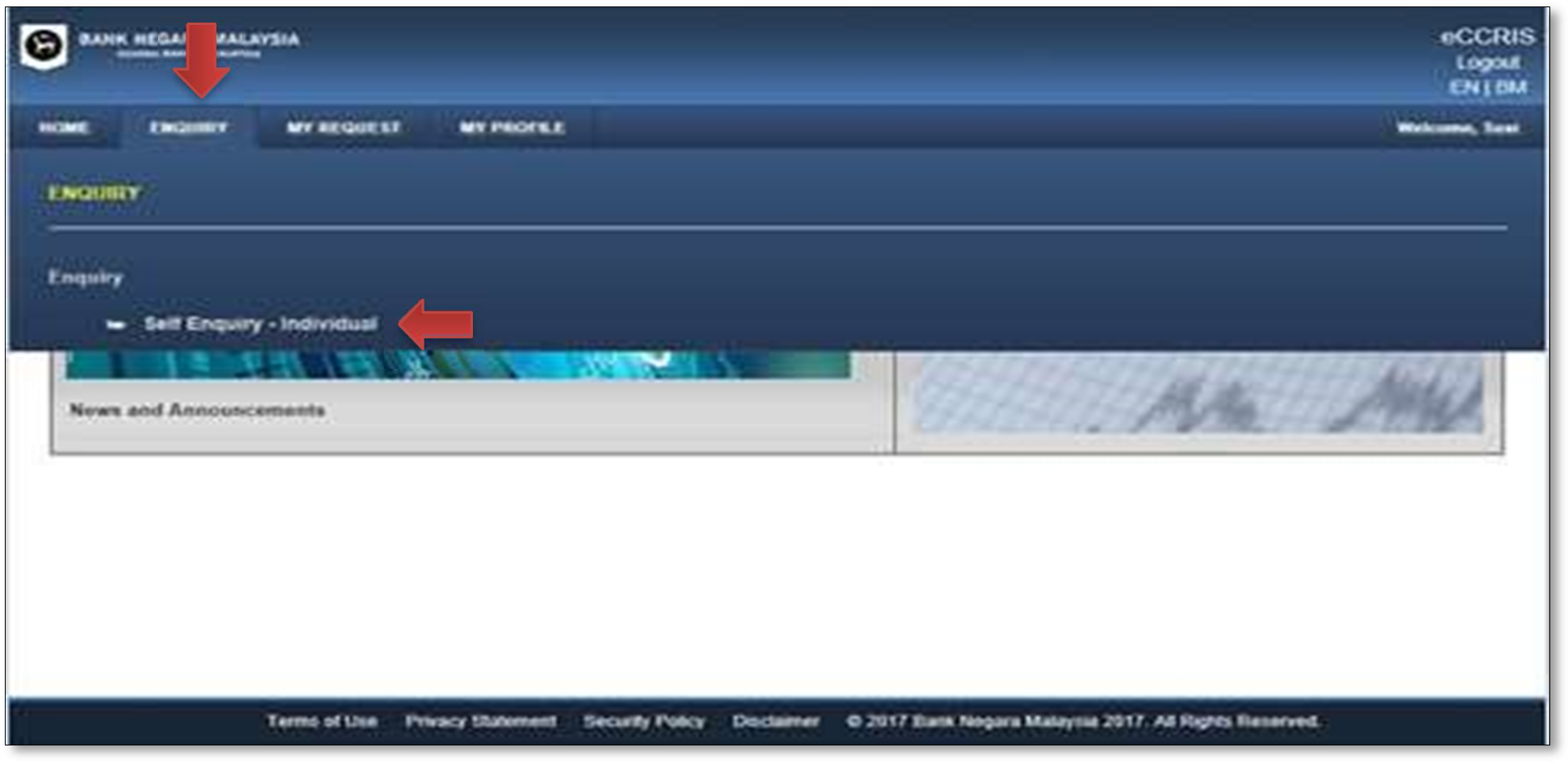
Open ENQUIRY → Self Enquiry – Individual. Accept the disclaimer, then select Report Enquiry.
4. Download and save the PDF
When your report appears, select Download, then confirm the download. Save the PDF somewhere private. If a password is requested, follow the portal’s instruction or the BNM FAQ, Section B, Question 6.
Your report is personal
Keep the file private. Do not post it in public comments, or share passwords, authenticator codes or the setup QR code with anyone.
5. Bring the report back to your monthly cashflow
BNM describes CCRIS as a record of financing and repayment history over the past 12 months. It is one input into lending decisions. Read BNM’s CCRIS overview for what the report covers.
My suggestion is to use the download as the beginning of a review. Bring your latest statements together and write down your recurring repayments. Then place them alongside the income actually coming in and the expenses your household needs to meet.
That is where the Debt Management and ICE JAR templates can help you organise the information. A report alone will not tell you which commitment is putting the most pressure on your family’s month.
If you earn well but still run short, read Asset rich. Cash poor. for the next part of that conversation.
If you get stuck
Use the portal’s recovery options for forgotten credentials or a new MFA device. For registration outside the online route, check BNM’s current alternatives. If a financing entry looks wrong, contact the reporting financial institution. BNM’s FAQ explains each situation.
Official sources & update note
Checked on 20 October 2026 against BNM’s portal, registration guide, FAQ and CCRIS overview. Screens and requirements may change; check the live instructions before proceeding.
This is an updated edition of my original CCRIS download article. The old form-submission sequence and obsolete login screenshots have been removed.